ACORD Form Preparation Starts with Better Source Information
Prepare supported ACORD forms with clear source information, visible gaps, and a defined review and handoff process.

A practical approach to organizing requests, keeping source context connected, and reviewing draft responses with Inbox IQ.
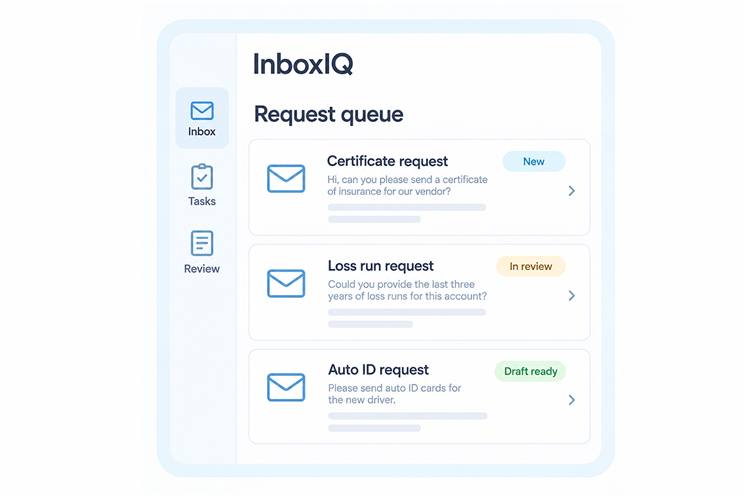
An insurance inbox holds more than messages. It holds certificate requests, questions about a renewal, missing submission details, and follow-ups that depend on someone taking the next step. When that work is managed only through read and unread status, it can be difficult to see who owns a request or what is still missing.
Inbox IQ is Acord AI’s email and request management solution. It helps insurance teams classify incoming work, gather context, prepare tasks and draft replies, and move requests through review. A useful starting point is to define what a well-managed request should contain.
An email subject does not always describe everything the sender needs. A renewal message may also contain a question about a vehicle change or an attachment that needs review. Classification should identify the work being requested, with a route for messages that remain unclear.
Choose categories your team can act on. Certificates, Auto ID cards, loss runs, policy checks, quote requests, and general service are examples. Keep a general category available so an uncertain message is brought to a person’s attention instead of forced into an unsuitable workflow.
A task becomes easier to review when the original email, attachments, and relevant details stay connected. The reviewer should be able to understand both the requested action and the information supporting it.
Consider a request for an updated document that does not include the intended effective date. A useful prepared task would retain the message, identify the missing date, and make the follow-up question clear. It should not quietly fill the gap with an assumption.
Organizing the inbox is only part of the job. Each request also needs an owner, a status, and a clear next action. A message waiting for information should be distinguishable from one waiting for approval.
Before configuring automation, decide how your team will handle related emails, duplicate requests, handoffs, and absences. Agree on what closes a request. Sending a reply may complete some tasks; other requests remain open until a document is received or an authorized action is finished.
A prepared response gives the reviewer a starting point. Check that it addresses the actual request, uses the correct account information, and includes the intended attachments. Confirm dates and any wording that depends on insurance judgment.
For example, a reply acknowledging receipt of a certificate request should not imply that an unresolved requirement has already been approved. The response and the request status should describe the same stage of work. Define which communications require approval and who can provide it.
When evaluating an inbox process, look beyond how many emails were classified. Review whether requests reached the right person, missing information was surfaced, and completed actions were recorded clearly. Track corrections and reopened requests alongside turnaround time.
Use representative examples from your own workload to assess the process. Include a straightforward request, an incomplete request, and a message containing more than one task. That makes the discussion more useful than a demonstration built entirely around easy examples.
Start with one recurring request category, a small set of approved examples, and your current review rules. The Acord AI team can help define supported sources, routing, and handoff requirements. Inbox IQ then supports a clearer path from incoming email to reviewed next action, while your team retains responsibility for decisions and approvals.



One Platform. Smarter Insurance Operations. Start Your Journey Today.